DBX Converter – How to Convert DBX File to PST File?
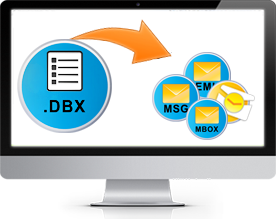
SysTools DBX Converter software is an easy-to-use, fast performing, reliable & low priced solution to convert DBX to PST/MSG/EML/RTF
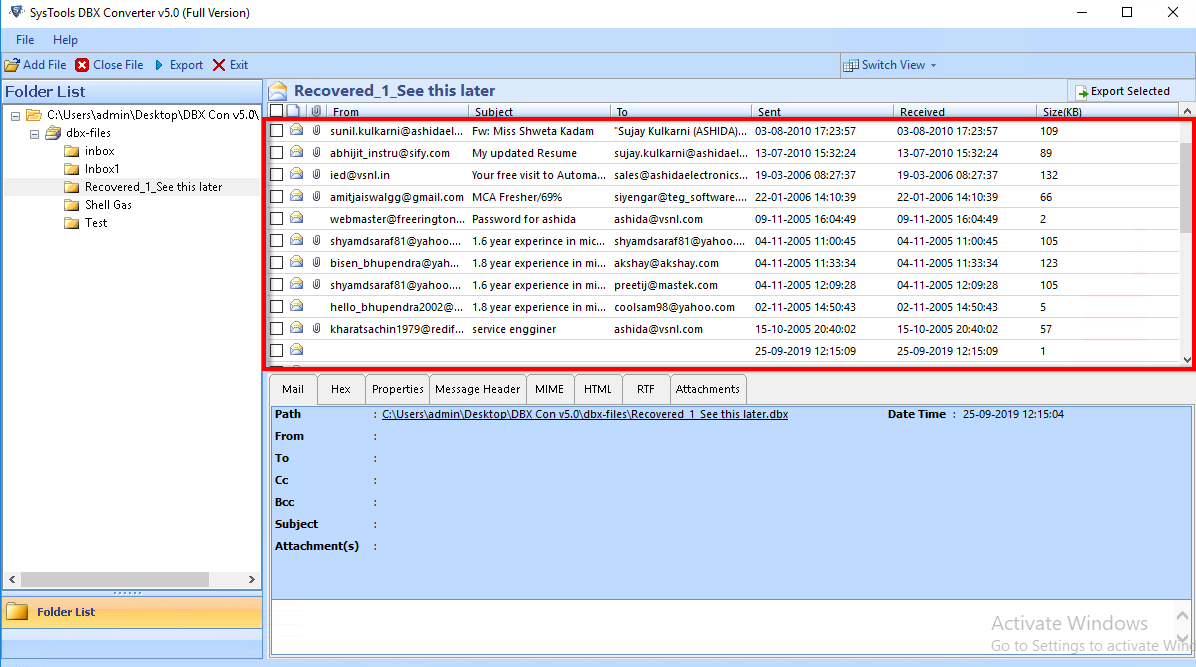
Do you want an Outlook Express DBX file reader program to convert your Outlook Express emails from DBX to Outlook PST or MSG or to Outlook Express EML format or to RTF (Rich Text Format)? Here is software solution that comes with a vast benefit package and helps you with Outlook Express file conversion. It is SysTools DBX Converter v3.2" software.
Why SysTools DBX Converter?
- Easy-to-use tool
- Fast performing software
- Reliable product that does not affect data originality
- Low Priced solution for Outlook Express file conversion
Get the Demo Version (FREE Software Evaluation)
You can get the facility to try and evaluate our product FREE of cost by downloading the Demo Version of SysTools DBX Converter v3.2 software online.
You can see the functional software version on your screen and can convert & save 10 items of every Outlook Express email folder using the Demo Version. You can evaluate product efficiency before buying it. For completely converting all items, get the Full Licensed Version of our tool.
All Conversion Benefits that You Can Avail
Using SysTools DBX Converter software, you can perform the following conversion processes
- Convert DBX to PST: Convert Outlook Express emails from DBX file to Outlook PST format.
- Convert DBX to MSG: Convert DBX files into MSG format (MSG is the format for a single PST file in Microsoft Outlook).
- Convert DBX to EML: Convert DBX to EML (EML is the format of a single OE email) to read and export DBX files in ThunderBird.
- Convert DBX to RTF: Convert DBX into RTF (Rich Text Format).
How to Convert DBX File to PST File? (5 Steps)
If you are thinking –“How to change DBX file to PST file?” then you will be glad to know that using SysTools DBX Converter, you can easily export Outlook Express to PST. Below mentioned are the conversion steps in brief. Detailed explanation is given on “How it Works” page. Just follow these 5 quick steps to convert Outlook Express DBX file to PST. The concise steps are as follows
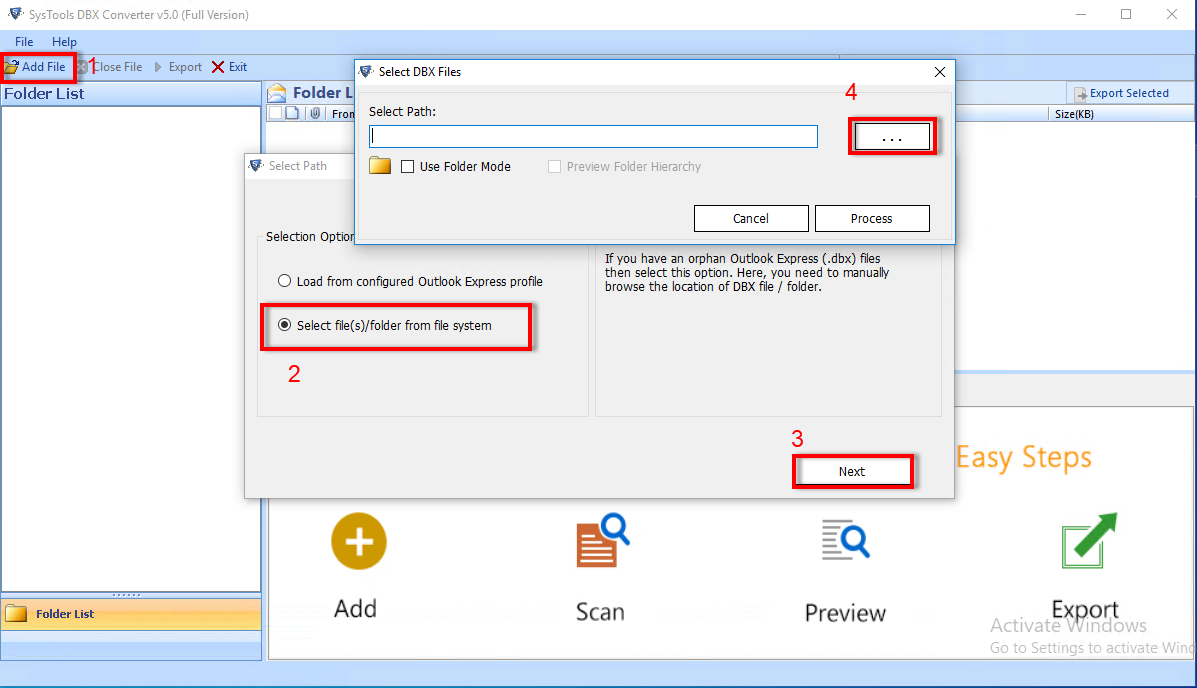
- Open SysTools DBX Converter software
- Browse the DBX file that you want to convert
- Choose a saving location to save the converted file to your system
- Choose PST format to convert DBX file. You can also choose some other format (EML/ MSG/ RTF)
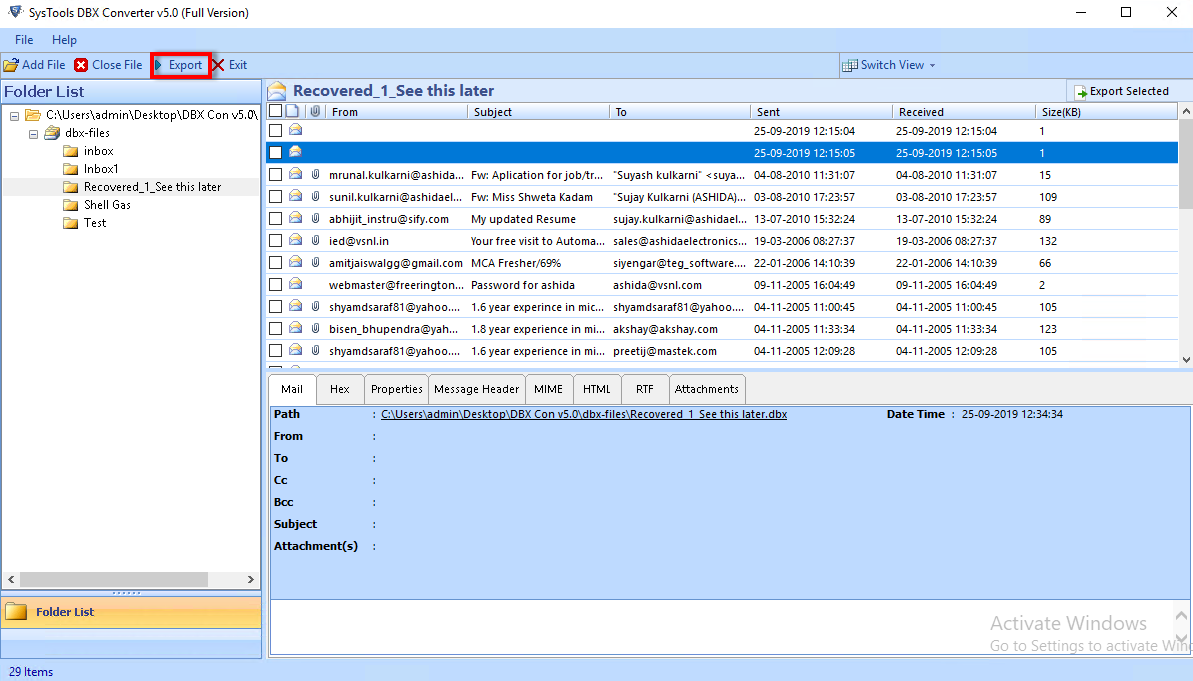
- Click the “Convert” button
Other Features : Following are some more features of our tool
- Convert default as well as Orphan email files of Outlook Express
- Repair corrupt DBX files. Our software can read the corrupt DBX files and extract to EML/RTF/PST/MSG format
- Make use of the search option to search any required DBX files on your system, which you wish to convert
- Perform batch conversion to convert multiple DBX files at a time
- Perform complete conversion. Email metadata or properties like To, Cc, Bcc, From, Sent & Received dates etc are kept intact during Outlook Express file conversion process.
System Requirements
For successfully converting Outlook Express DBX files, you must have the following installed on your PC:
- Microsoft Outlook 2000/2002/XP/2003/2007/2010 (Required if you convert DBX to PST or to MSG format of MS Outlook)
- Outlook Express 5.0, 6.0
Get the Full Version (Low Priced Solution)
After evaluating the software with the help of the FREE Demo Version, you will know about our product’s performance. Get the Full Licensed Version of SysTools DBX Converter tool to convert ALL Outlook Express DBX file items to EML/PST/MSG/RTF format. Personal License costs ONLY $69!
Registered users of SysTools DBX Converter tool are entitled to FREE software updates (up to the release of the next major version).


We provide technical support to our customers 24x7.